Skype us at scommerce.mage or call +44(0)1483 487746

Loading...

Magento 2 Product Handling or Additional Fee
Compatible with Magento 2 community and enterprise 2.3.3 - 2.4.x including cloud edition
Magento 2 Handling Fee Extension with Tier Pricing Support automatically applies the right handling fee based on each product's tier price and quantity, giving merchants full control and customers complete transparency at every step. Compatible with Hyva, Breeze, and all standard Magento product types.
- Supports Tier Pricing (NEW!)
- Compatible with HYVA Theme(NEW!)
- Compatible with Breeze Theme(NEW!)

Free Support
up to 60 days

Free Upgrades
up to 1 year

Fully open source
Product Description
Add Extra Fee Per Product in Magento 2
Compatible with Magento 2 community and enterprise 2.3.3 - 2.4.x including cloud edition
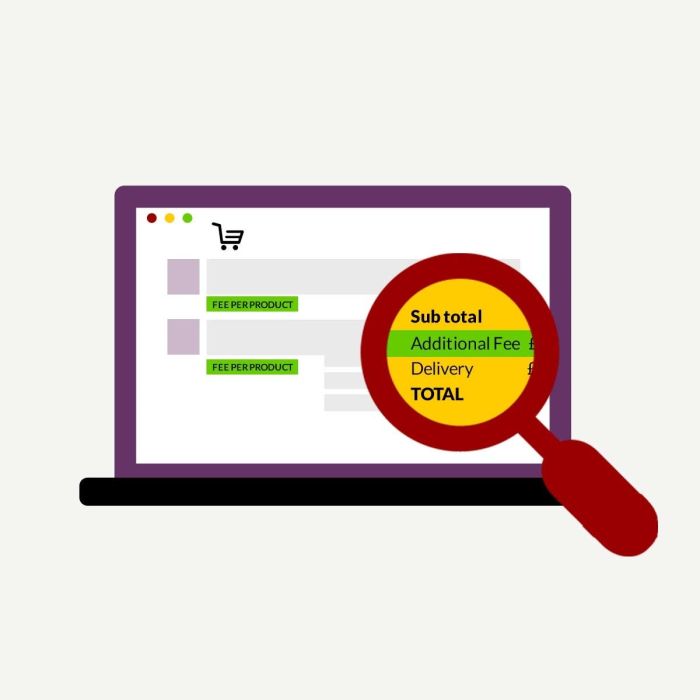
Unlock dynamic fee management for every quantity tier with our Handling Fee Extension for Magento 2. Designed for stores that need granular cost recovery and crystal-clear fee visibility, this module transforms the way you charge and display handling fees:
Below are main features of the module-:
- Define unique handling fees for each tier pricing level within the admin product grid, directly alongside price and quantity.
- Customers always see the correct handling fee the moment they adjust purchase quantities, fees update instantly on the cart and checkout page for absolute clarity.
- Supports all standard product types and works seamlessly regardless of catalogue structure.
- Handling fee amounts are saved for every order, displayed in admin views, and exported with invoices, credit memos, and order APIs for hassle-free reporting and third-party integrations.
- Open, customer-friendly fee display reduces confusion and increases trust, boosting conversions and reducing abandoned carts. If no handling fees are set for a tier, the fallback applies, no fee will be charged, so your pricing always makes sense.
- Compatible with HYVA Theme(NEW!)
- Compatible with Breeze Theme(NEW!)
- Manage the extra fee label and enable/disable the module from the admin panel
- This module can be completely managed from system configuration in admin
Perfect for stores selling fragile, oversized, or special-care products—now you can charge differently per bulk quantity, justify margins, and guarantee full transparency at every touchpoint. download and future-proof your store’s fee management today.
We offer 60 days of free support and 12 months of free upgrade for any standard Magento site when you buy this extension. You can also get our installation service for a small fee. If you want more benefits, you can purchase our 12 months of free premium support and free lifetime upgrade package. Please contact us if you need any assistance or customization for this extension. We will reply to you within 48 hours. We may also offer you a special deal or a free solution if we like your idea.
** Please refer to our FAQ or T&C section for running our extensions on multiple domains or sub-domains
FAQ
Q. Is this module fully compatible with Hyva Theme?
A. Yes, the module is fully compatible with Hyva Theme.
Q. Is this module fully compatible with Breeze Theme?
A. Yes, the module is fully compatible with Breeze Theme.
Q. How can I get license key for my development website?
A. Please use the same license as live site provided with the order confirmation email on the staging site and ensure you have the latest version of scommerce/core installed i.e 2.0.9.
Once added go to Stores>Configuration>Scommerce Configuration>Core and click on verify. Once verified the license will start working on your staging site.
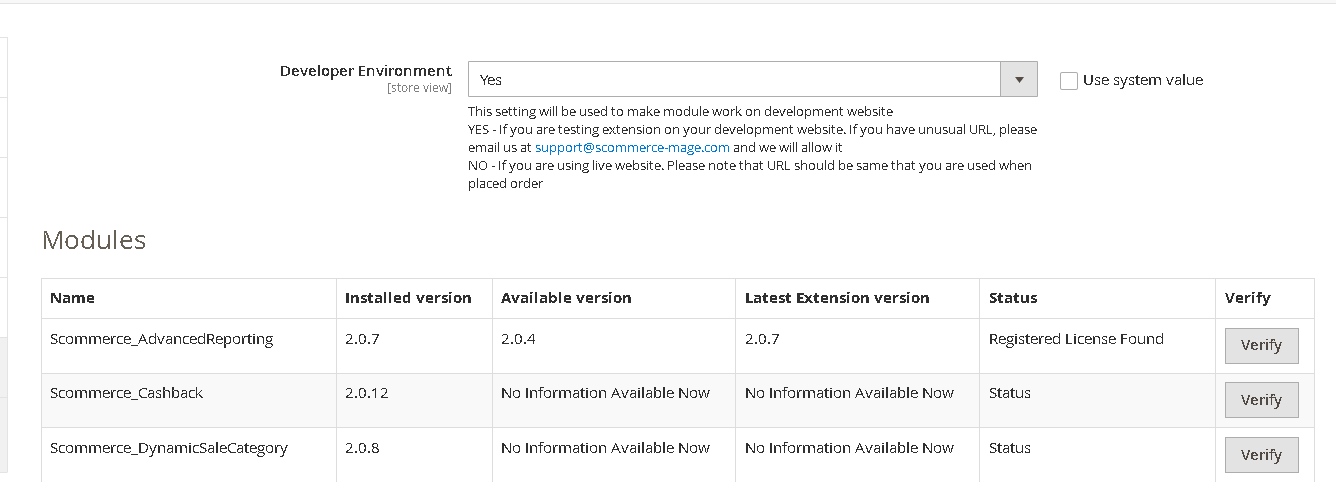
Once added go to Stores>Configuration>Scommerce Configuration>Core and click on verify. Once verified the license will start working on your staging site.
Q. Can I test the extension before buying?
A. Unfortunately we can't provide you extension for testing purposes but we have demo available for most of our extensions and happy to provide full refund if the extension doesn't work
Q. Can I request for customisation on your extensions?
A. Yes we do provide all sort of customisation for our clients at the reasonable rates. And if we believe the customisation will help our product then we also provide great discount on the customisation
Q. I have multiple websites/stores, each with a unique domain. Do I need a separate license key for each live domain?
A. Yes, each live domain requires its own license key. Our license keys are URL specific and each live domain, subdomain, subfolder requires a separate key. If you’re running multiple websites from the same Magento instance, we offer a 30% discount when purchasing license keys for two or more domains in a single order. To receive a coupon code, please contact us at support@scommerce-mage.com.
Q. How can I upgrade my extension to the latest version?
A. The upgrade process depends on your platform and how the extension was installed:
For Magento 2 (Installed via Composer)
If your extension is within the free upgrade period (12 months from the purchase date), you can update directly via the command line. Simply run the composer require command for the specific module to fetch and install the latest available version. If you are outside the free upgrade period, you will need to buy an upgrade using the link below.
For Magento 1 or Magento 2 (Installed manually via app/code)
If your extension is within the free upgrade period (12 months from the purchase date), you can simply download the latest available version by logging into our website and navigating to My Account > My Downloadable Products. If you are outside the free upgrade period, you will need to buy an upgrade using the link below.
Purchase an Upgrade:
https://www.scommerce-mage.com/magento-extension-installation-service.html
Important Note for Manual Upgrades: Before uploading the latest version, we highly recommend deleting all existing files and folders of our extension from your website. We may have deprecated or removed certain files in the update, and keeping the old ones could cause conflicts on your website.
Q.Where can I download the extension files?
A. Please login into your account on our website and go to the download link under my account section to download the extension package.
Q.Can you provide a key that works for our development (NOT PRODUCTION) environment which will work on a dynamic URL, for example, 12334.gitpod.com and 4567.gitpod.com?
A. Unfortunately it is not possible to generate license keys based on the dynamic URLs.
License keys need to be generated per domain or subdomain whether it is production or non-production.
Q. How can I manually uninstall your module?
A. Please follow the below steps -:
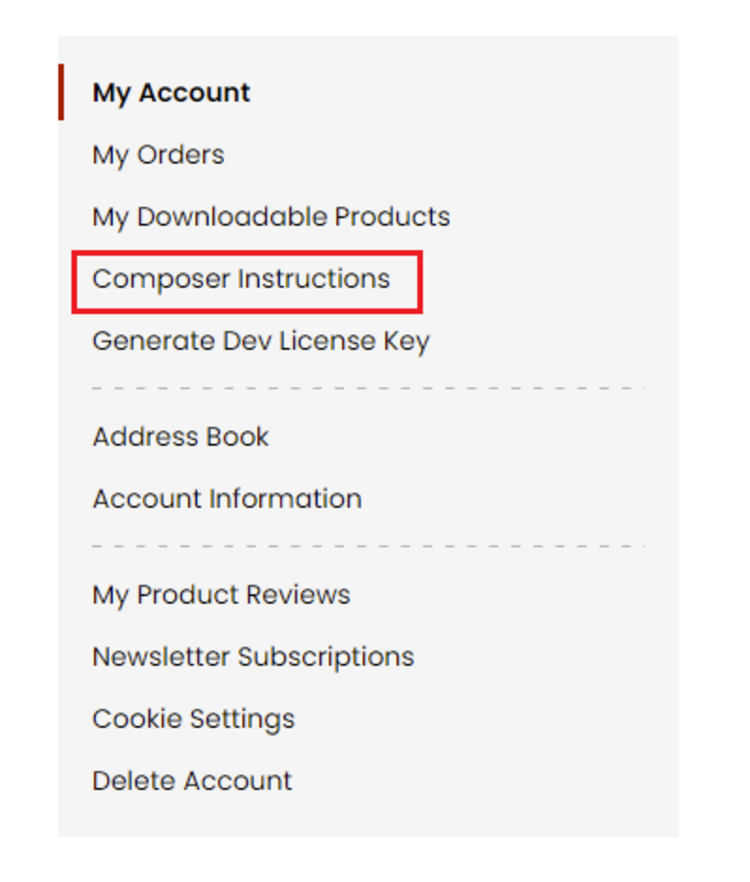
Step 1: Navigate to our store and login to your account. Then go to the My Account Section, on the left menu click on Composer Instructions.
 Step 2: Next, run the config commands shown on the top of the page then click on the extension that you want to install. A composer require command will be revealed in the dropdown menu. Run the command then clear caches to complete the installation.
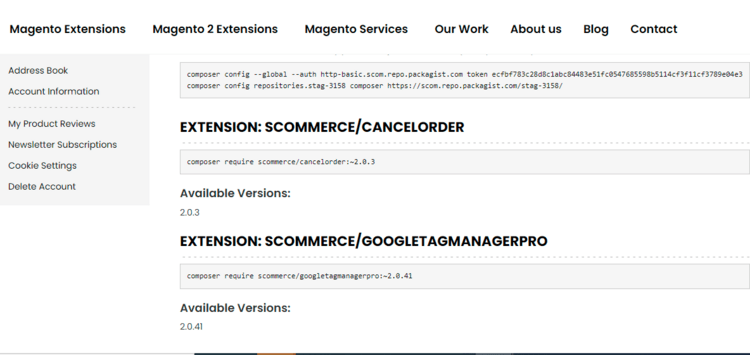
Step 2: Next, run the config commands shown on the top of the page then click on the extension that you want to install. A composer require command will be revealed in the dropdown menu. Run the command then clear caches to complete the installation.
Q. Do you support SPA (Single Page Application) / PWA (Progressive Web Application) / AMP ?
A. Unfortunately, we don’t support SPA or PWA or AMP but we may be supporting them in future depending upon the demand.
Change Log
Version 2.0.13
2025-09-18 10:35:06
Fixed an issue where extension caused an error on environments with database prefix
Version 2.0.12
2025-09-12 11:46:37
Tier based handling fee support has been added where merchants can assign different handling charges based on the quantity tiers defined in tier pricing grid
Version 2.0.11
2024-01-26 13:04:24
Updated installation scripts and code quality for Magento Marketplace. We replaced the installation scripts with db_schema.xml to comply with Magento standards. We also applied code sniffer fixes to improve the code quality and readability.
Version 2.0.10
2023-09-13 11:36:33
Added support of PHP8.1 and made it compatible with Magento 2.4.6
Version 2.0.9
2022-10-11 13:31:23
Added PHP 8 Support
Version 2.0.8
2021-03-02 13:22:47
Added handling fee to PDF Invoice and Credit Memo / Refund
Version 2.0.7
2020-09-07 18:04:50
Fixed ACL permission issue related to specific role
Version 2.0.6
2020-08-17 12:23:26
Added PHP 7.2, 7.3, 7.4 support. Also added support for Magento version 2.3.3 as it was causing minor issues
Version 2.0.5
2020-08-16 14:59:54
Added PayPal support
Show More
Show Less
Write A Review
Fields marked with * are required